
How to switch between accounts
Edited
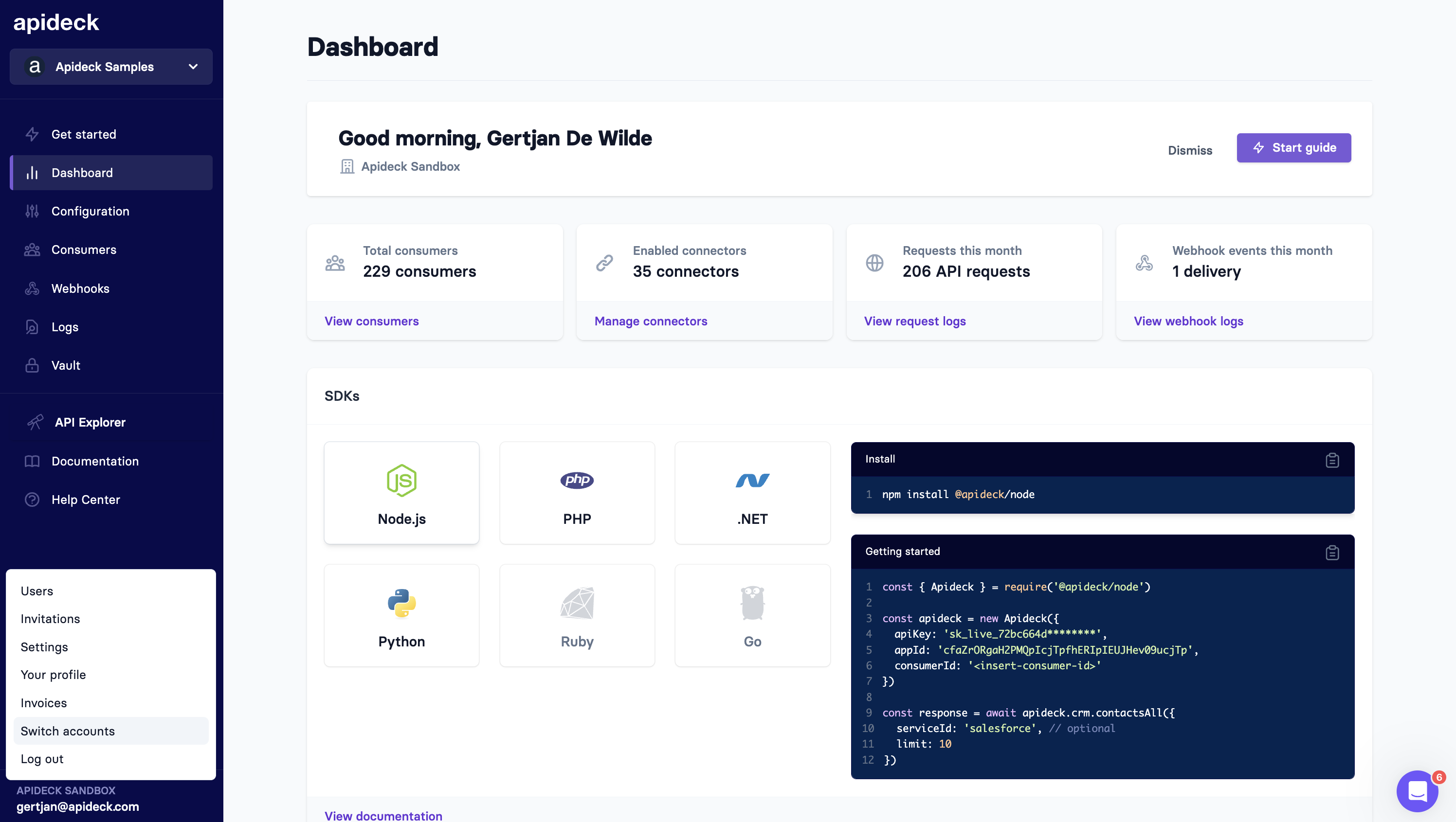
After logging into Apideck, your user can be linked to multiple accounts. To verify which accounts you can access, click on your email at the bottom left and click "Switch accounts".
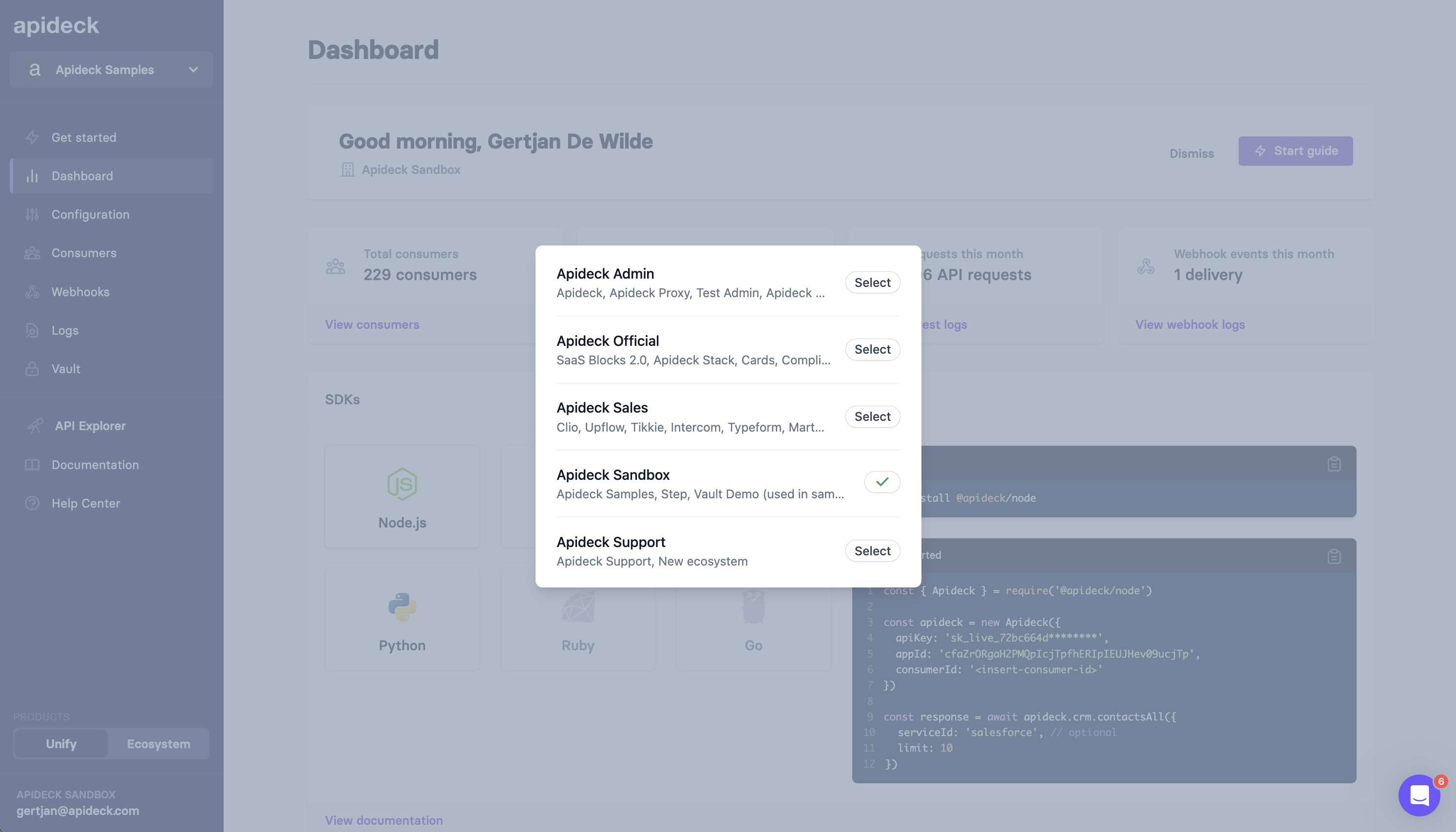
This will open a modal with the different accounts you have access to. Click on the account to switch to the right account.
Was this article helpful?
Sorry about that! Care to tell us more?