
Ecosystem: adding analytics, tag managers and chat tools
You can add tools like Google Analytics, Google Tag Manager or a live chat widget to your ecosystem without writing code.
Built-in integrations
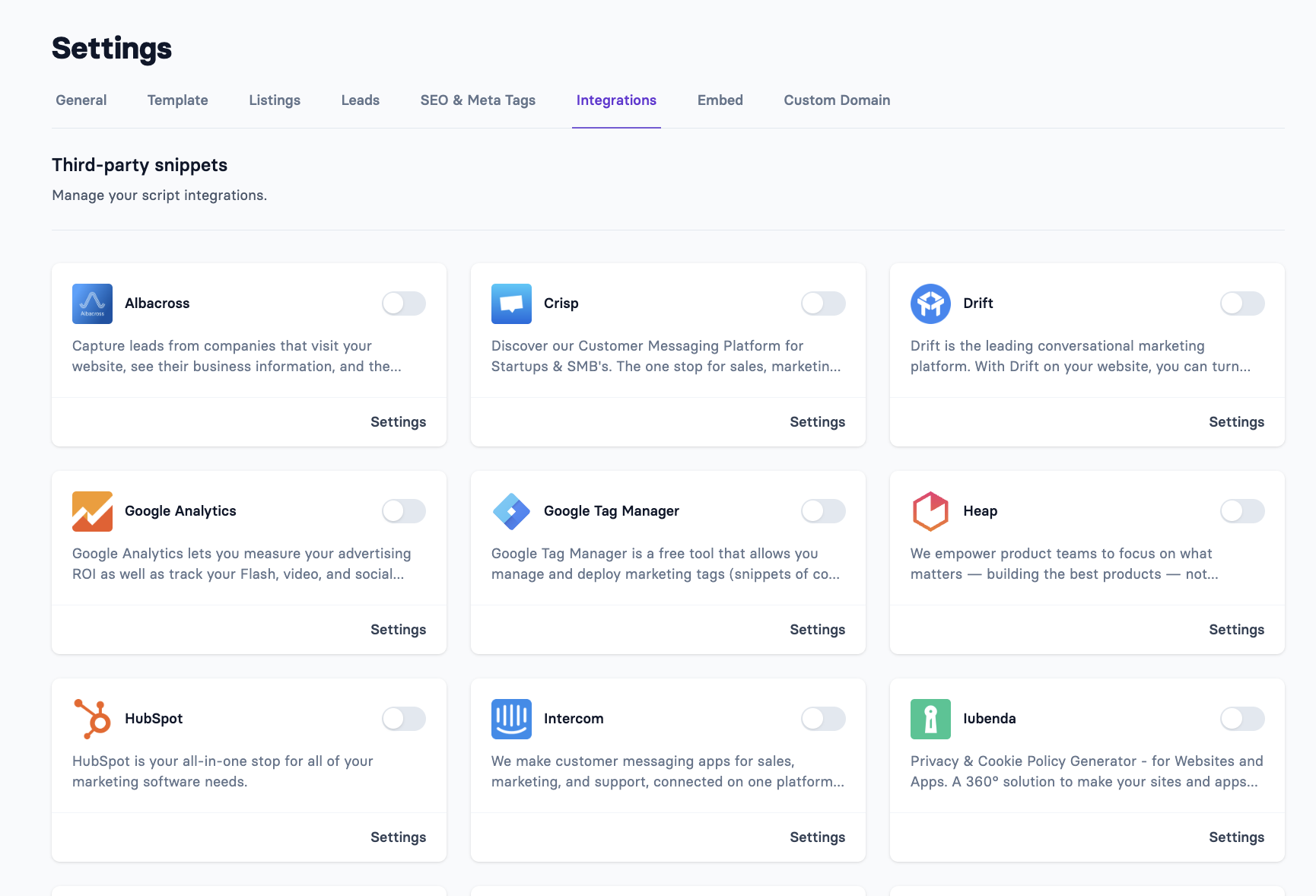
In the Apideck dashboard, go to Ecosystem → Settings → Integrations → Third-party snippets, choose the tool and enter its ID. Apideck adds it to every page of your ecosystem.
Type | Tools |
|---|---|
Analytics and tag management | Google Analytics, Google Tag Manager, Segment, Heap, HubSpot, Albacross, Journy.io |
Live chat | Intercom, Crisp, Drift, LiveChat |
Cookie consent | OneTrust, Iubenda, Metomic |
To verify your ecosystem domain in Google Search Console, add your verification ID in the same place.
Other tools
If the tool you need isn't listed:
Use Custom JavaScript in Settings → Template. Enter the URL of a script file, and it's loaded on every page. Available on paid plans, not during a trial.
Don't paste tracking scripts into Custom HTML. A
<script>tag in the custom navigation or footer HTML isn't run. Use the built-in integrations or Custom JavaScript instead.
Cookie consent
If you need visitor consent before analytics run, add your consent tool (OneTrust, Iubenda or Metomic) through the built-in integrations, and configure your analytics tools to respect it.