
Xero: Connecting a new app (created after March 2, 2026)
Xero introduced a breaking change to their OAuth scopes on March 2, 2026. Apps created before this date are unaffected and continue to work as normal until September 2027.
Apps created on or after March 2, 2026 no longer support two broad scopes that Apideck requests by default:
accounting.transactionsaccounting.reports.read
If your app was created after March 2, 2026, you will see one of these errors when trying to authorize:
Error: unauthorized_client- your Xero Client ID or Secret is not correctly configured in ApideckError: invalid_scope- your app does not support one or more of the default scopesError: unauthorized_client/ "Invalid scope for client" - your app does not have permission to request one or more scopes. Follow Step 2 to override the default scopes.
We are working on adding the new scopes and in the meantime, you can unblock yourself by following the steps below.
Step 1 - Add your Xero credentials to Apideck
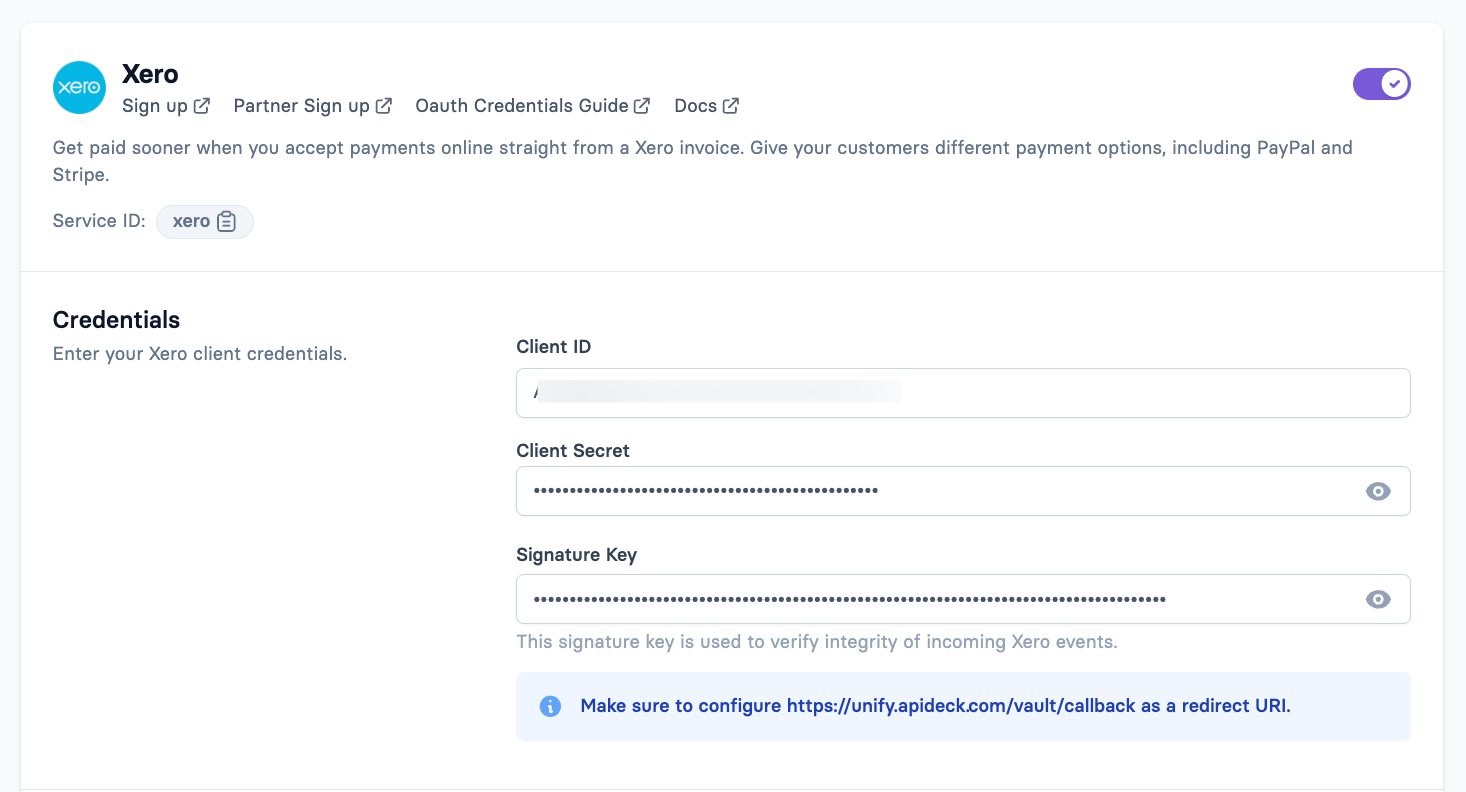
Go to platform.apideck.com → Configuration → Accounting → Xero
Under Credentials, enter your Xero Client ID and Client Secret
Make sure
https://unify.apideck.com/vault/callbackis added as a redirect URI in your Xero app at developer.xero.comClick Save
Step 2 - Override the default scopes
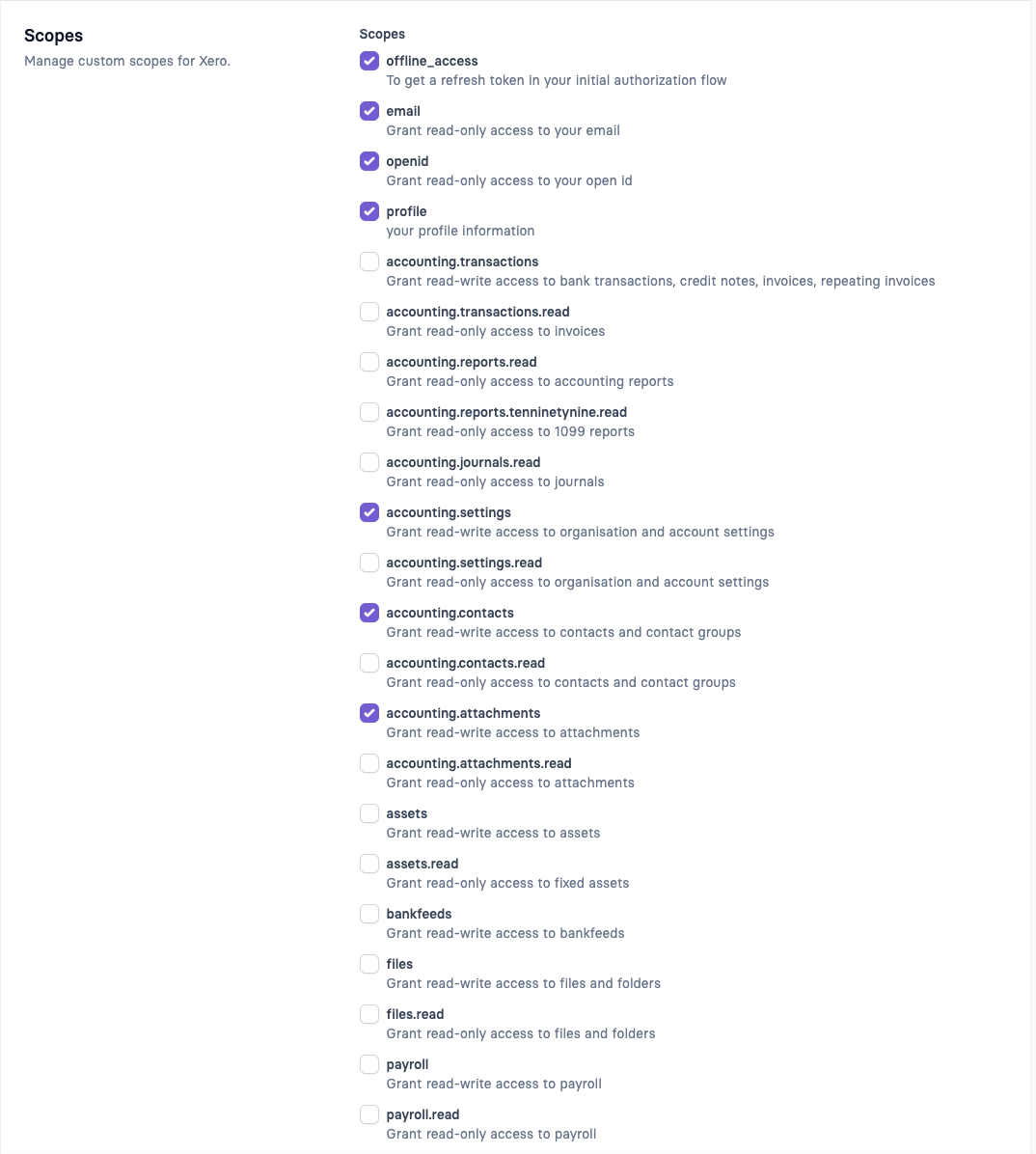
On the same page, scroll down to the Scopes section
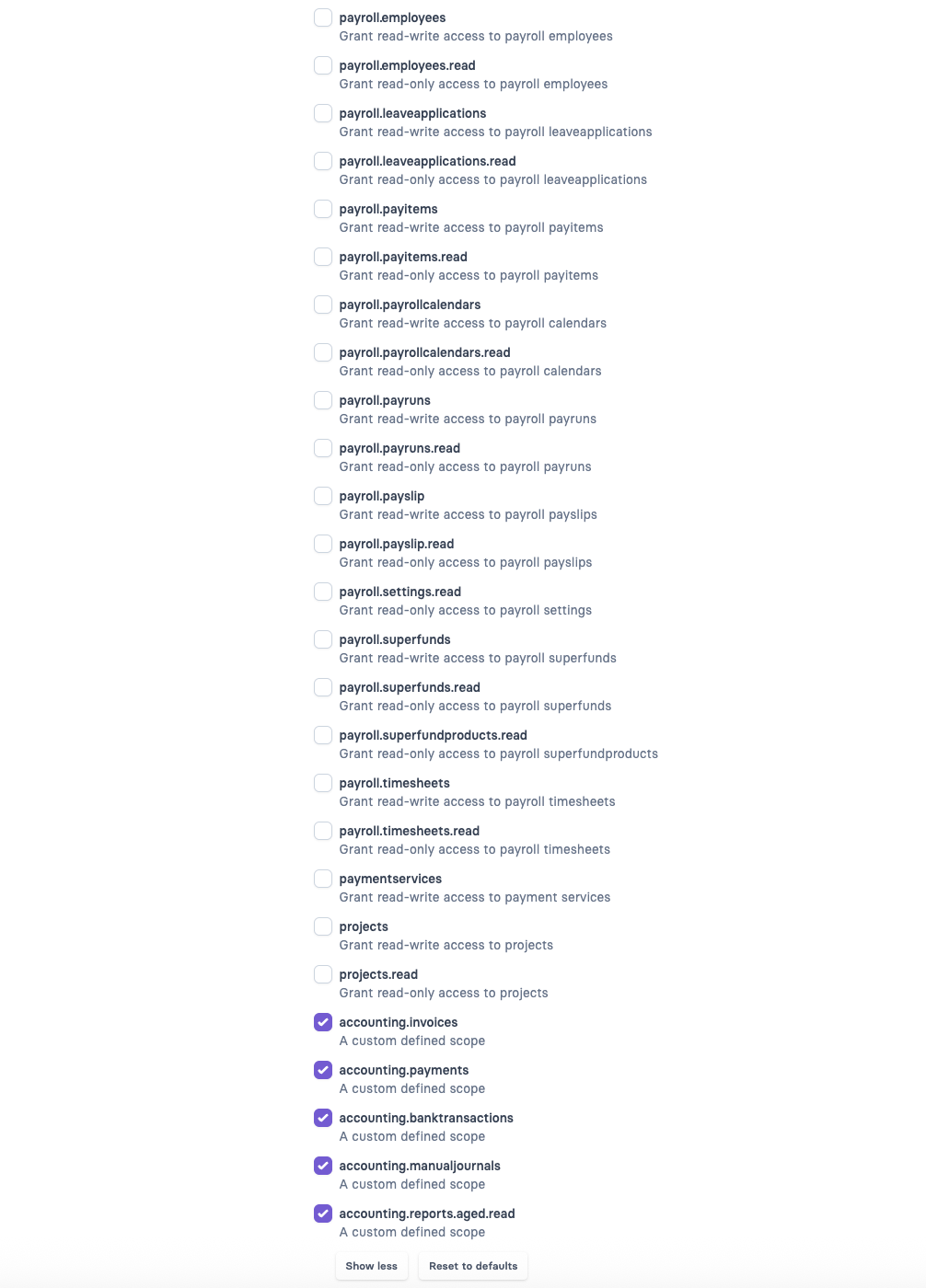
Uncheck everything that is currently selected
Check only the following scopes - if a scope is not in the list, add it manually using the custom scope field:
Scope | Purpose |
|---|---|
| Required for refresh tokens |
| Required for OAuth |
| User profile |
| User email |
| Organisation settings, tax rates, chart of accounts |
| Customers and suppliers |
| File attachments |
| Invoices, bills, credit notes, purchase orders |
| Payments and bill payments |
| Bank transactions and transfers |
| Manual journals |
| Aged debtors and creditors reports |
Click Save
Step 3 - Authorize
Go back to your Vault connection and click Authorize. You should now see the Xero consent screen and be able to complete the connection.
Known limitations for new apps
The following resources are not available for standard new Xero apps due to scope restrictions imposed by Xero. These scopes require enrolment in Xero's App Partner Program:
Resource | Blocked scope |
|---|---|
Balance Sheet report |
|
Profit & Loss report |
|
Journal Entries (read) |
|
If you need access to these resources, you will need to apply to Xero's App Partner Program. This is a Xero-side requirement and is outside of Apideck's control.
Aged debtors and aged creditors reports (accounting.reports.aged.read) are not affected and work for all new apps.
Existing apps (created before March 2, 2026)
No action is required. Your existing broad scopes (accounting.transactions and accounting.reports.read) continue to work until September 2027, at which point Xero will retire them. We will have the new default scopes in place well before that deadline. Once this is released, your consumers will have to re-authorize the Xero connections.
For a complete breakdown of all available granular scopes and what endpoints they cover, see Xero Scopes: What Changed and What It Means for Your Integration.
Still having issues?
Contact us at support@apideck.com and include:
Your Apideck App ID
A screenshot of the error from Xero
The error URL from your browser address bar when you authorize the connection