
QuickBooks: "There is no sandbox companies found for the user"
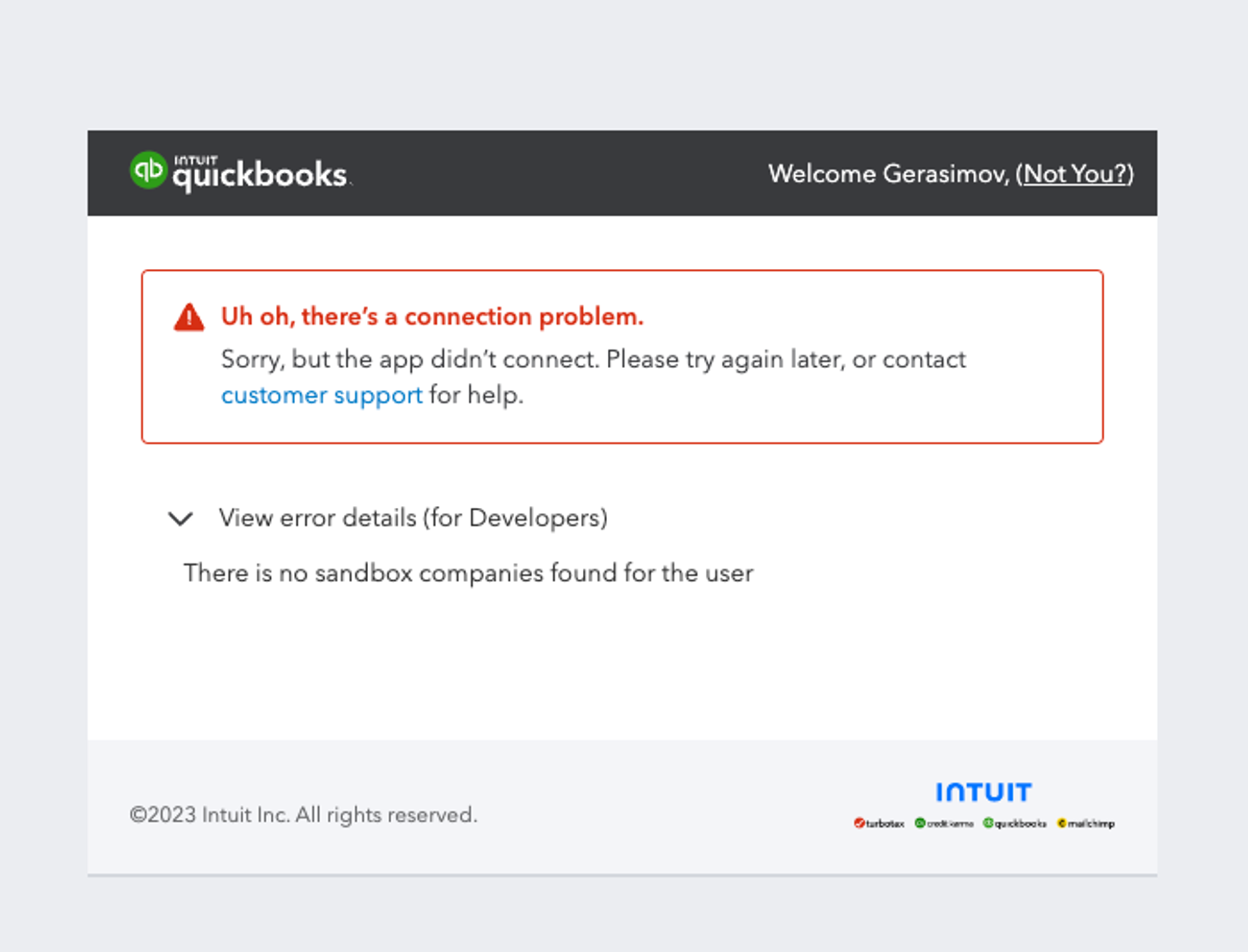
To ensure a seamless QuickBooks configuration when going to production and avoid encountering the error message "There are no sandbox companies found for the user," it's suggested to review the QuickBooks configuration.
Please double-check the app client ID and keys, which are used for the trial account connection, if you are using development keys that can be connected with Sandbox companies. The production keys are required for connecting production companies (either paid or trial QBO companies).
Go to Apideck > Configuration > Accounting > QuickBooks
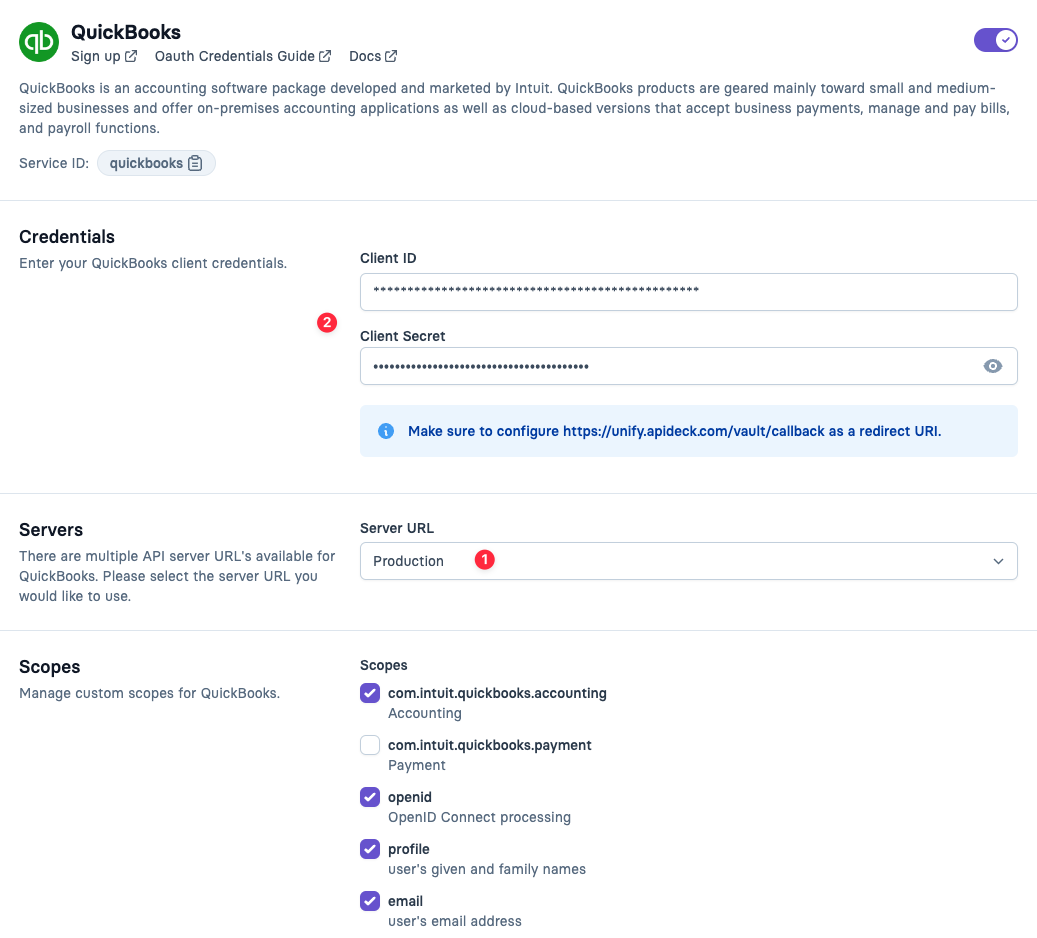
Select the "Production" environment for your integration.
Provide your Oauth Client ID and Secret.
In our QuickBooks Oauth Credentials Guide, you can find all the setup steps for creating your own OAuth app including the answers to the App assessment and compliance questionnaire of QuickBooks.
Intuit shows a sign-up screen instead of a company list
When your customer authorizes QuickBooks, Intuit should ask which company to connect. If Intuit shows a screen to sign up or start a QuickBooks trial instead, the Intuit user who signed in has no company Apideck's app can connect to:
Production keys: the user isn't a user of any QuickBooks Online company. Sign in with the Intuit user that has admin access to the company you want to connect, usually the company owner or an accountant user.
Development keys: the user has no sandbox company. Create one in the Intuit Developer portal under Sandbox, signed in as the same Intuit user, then authorize again.
Don't complete the sign-up: it creates a new, empty QuickBooks company instead of connecting the existing one.
Contact Apideck support through the Customer Portal (the Requests link at the top of this help center), your Slack channel with us, or support@apideck.com if the right company still doesn't appear.